


I bet that you already assign a handful of daily tasks to AI. You probably designed those processes on your own, which is awesome.
You’re probably also responsible for deploying, refining, and maintaining them all, which is considerably less awesome. That’s the type of work that software usually does.
So let’s start collecting all of these operations in one central workspace. If marketing is starting to operate like software then let’s treat it like software.
That’s the idea behind this open-source content system that we recently published in Github. In this article I’ll explain how it works.
Overview: brain, hands, health
Most AI tools are all hands and no brains. They produce content at an incredibly place but the content itself is dull.
This open-source system has a brain layer. That is: a layer that dictates context and taste, based on your brand’s unique data. It has three main components:
- Context (a.k.a. the brain). The brain is what an agent should know before writing: positioning, voice, proof, competitive context, what pages already exist.
- Workflows (a.k.a. the hands). The hands are what an agent does: research a question, draft copy, mark up a Google Doc, refresh a page, publish to WordPress.
- Maintenance (a.k.a. health). Check-ups are a way to review every component of the overall system (brain and hands alike) to make sure everything is functional and up to date.
For years we had various components for context, output, and maintenance but they were all stored in different locations.
Now we have them all in one central repository. The unified workspace is one of the biggest benefits of this new approach. It makes all tools available across your team and ensures that everyone is using the most current versions possible.
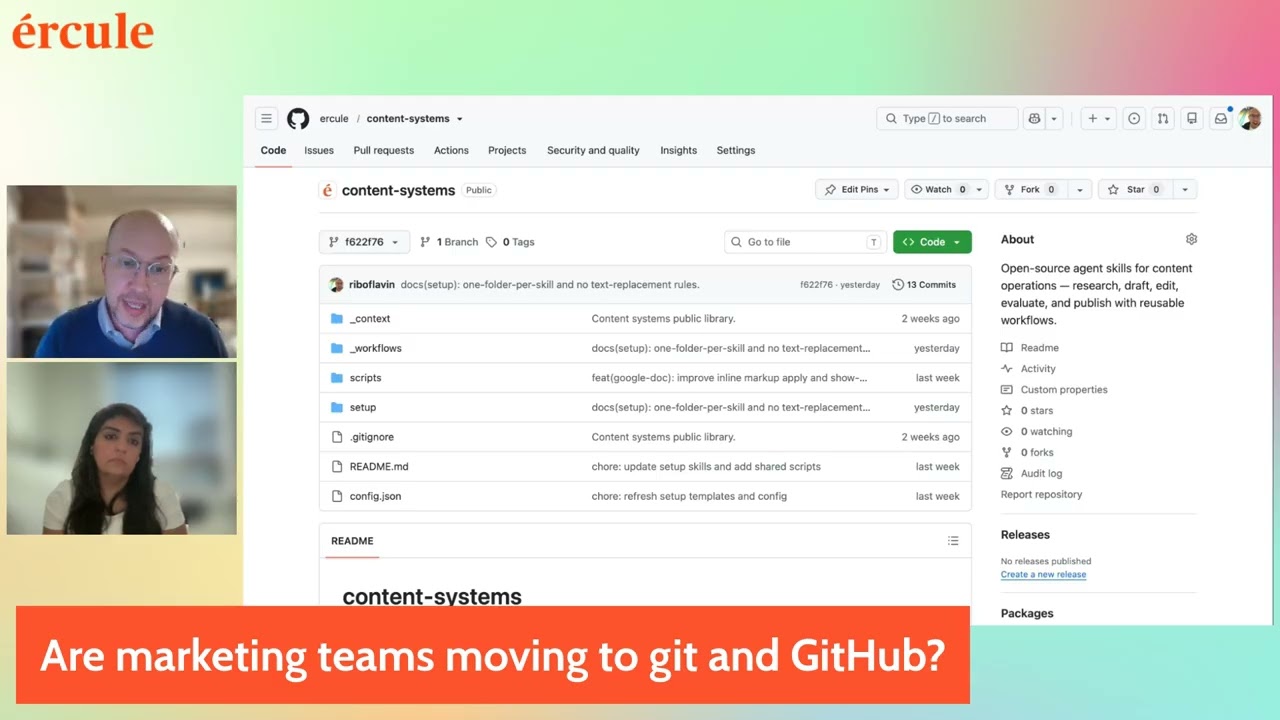
If you’re interested in the finer points of the architecture, check out the README. And if you want to see me and Shaziya go through all of this in real-time, you can watch this video:
No code skills? No problem.
You don’t need to code to use this content system. If you know how to chat with Claude then you’ll be able to run it all.
This includes setup. Just tell Claude to handle all of the technical stuff, starting with the README doc.

Order Claude to review all of the docs in the repo then answer your follow-up questions and walk you through the necessary steps.
And then, once it’s all set up, you can engage your marketing “brain” and “hands” through Claude commands and skills, too. Run it all via chat, like so.

With that in mind, I’m going to open the lid on this robot and show you what’s inside.
Under the hood, it’s all Git
We built all of this in Git. We designed the systems in partnership with our clients.
Now a standard version of the content system is open-sourced.

It involves GitHub, it involves some code, and it involves restructuring the way that you organize your marketing assets.
The context folder: brand knowledge, rules, and identity
The context folder (or “brain”) we use is based on a lot of work done by Janessa Lantz and her open-source repo.
It’s a collection of contextual information that a brand uses in their creative work. That kind of guidance is absolutely necessary if you want AI to create any content that is remotely accurate or interesting.
Think of it as a storehouse for documents that any new marketing hire would need: pricing, social proof, ICPs, founder stories, original research. The canon.

The kind of information that doesn’t change all too often. However, when your pricing does change, you can update that info here in the brain.
Example: customer + market proof in the context folder
See for yourself what it looks like to have all of this information in each part of the context folder. Each “canon” file includes sample material for a fictitious company called Gallivant.
Gallivant’s canonical “proof” folder contains samples for customer proof (i.e. quotes talking about how awesome you are) and market proof (i.e. persuasive performance stats).

By keeping this information in the context folder, AI will have a more nuanced idea of how your value prop manifests. This will inform its writing overall. And, when proof is needed for a more marketing-forward piece of content, these data points are at the ready.
Categorized context leads to more nuance content
AI is bad at choosing what context actually matters. The more precisely you can organize your contextual data, the more precisely you’ll be able to steer AI towards relevant context.
This is a context engineering principle. It’s baked into the open-source repo design.
When filling out your own canonical context, start with the fundamentals:
- Value prop
- Ideal customer
- Pricing
- Proof points
Extra credit for a detailed messaging framework and a detailed take on your competitors.
The workflows: research, generation, revision, and ops
Welcome to the “hands” portion of the system. It breaks down into four general tasks that we want agents to do.
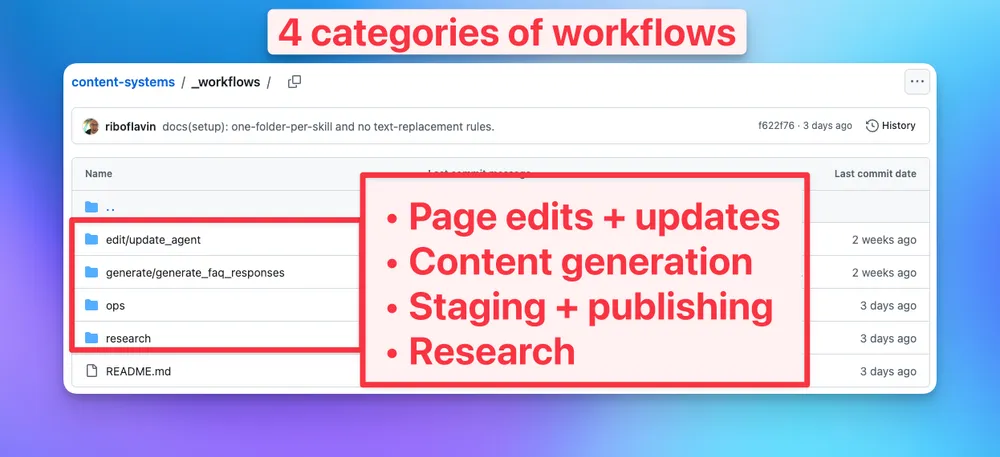
The current workflows are organized like this :
- Page edits + updates. Crosslink updates, content revisions, etc.
- Content generation. Drafting.
- Staging + publishing. Operational tasks: URL fetching, Wikitext editing, converting to Markdown, etc.
- Research. FAQ research, brand analysis, link analysis.
Within each group are workflows – or, more specifically, SKILL.md files that describe the job, step-by-step.

We’ve been creating content with AI systems for years now. I’ve produced thousands of pieces that way – some excellent, many terrible, and whole lot more in between. The workflows in this open-source system are informed by those years of hard-earned insight.
You always want to include some preflight steps, for example, to make sure a process is viable before you commit the resources to it. In terms of style, I always want to keep things really short and human-readable. Insights like that are built into these skills.
Example: workflows for transcriptions and FAQs
Some of those tasks are constant from client to client. So very basic stuff like, "hey, I want to transcribe a video into a blog post, and
This workflow goes to YouTube, grabs a video, downloads it, transcribes it and transforms it into written content. It chooses a specific narrative angle for the piece, adapts the material through a brand’s unique voice and tone, and publishes it to your CMS.

Another example: the FAQ finder. I use this one for most every client now. The FAQ finder goes and identifies the questions that people are asking on Reddit, on LinkedIn, and — in some cases — ChatGPT.

Clients seem to love this motion, and we’ve refined it to a pretty reliable state, so we open-sourced it. We also included maintenance automations (one for skills and one for workflows) you can use to keep all of this stuff in tip-top shape.)
A step towards true content system software
This open-source content system that takes into account your analytics, your goals, your positioning, your messaging, and what's happening in the world. You could say that we’re building open-source software for content generation in this Github repo.
(That statement would have sounded bonkers a few years ago.)
The beauty of open source is that anyone can improve upon it. If you do happen to be comfortable playing around with this stuff, I welcome all feedback and experimentation.
In the meantime, my goal is to continue adding more workflows to this repo so that folks can start building out AI systems on their own. No need to reinvent the wheel here over and over, especially when it comes to the most rote marketing tasks.